Automated Capture Tools Transform Documentation
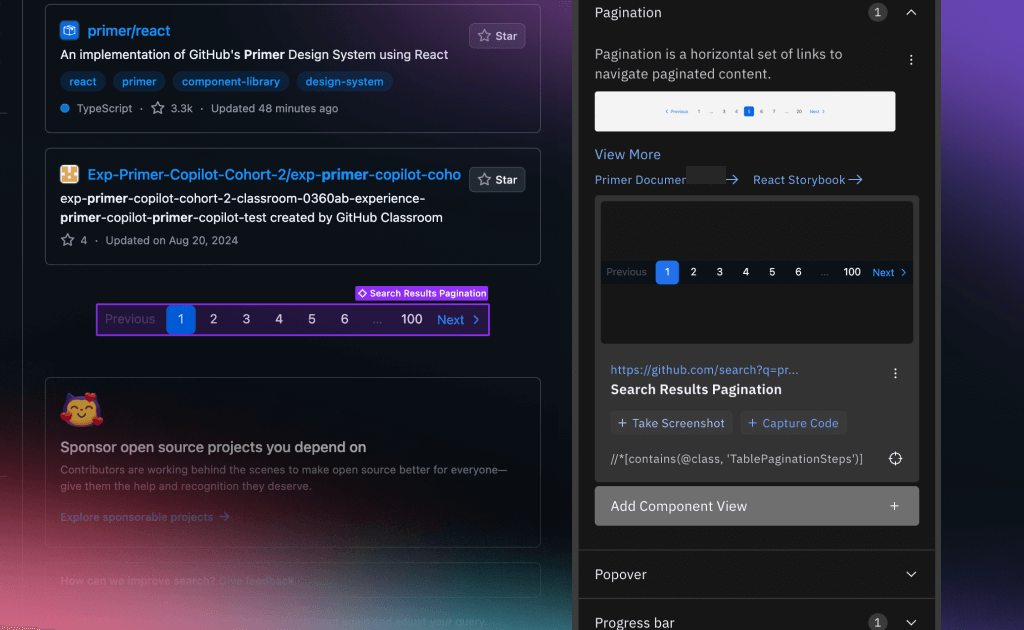
Design system teams know the pain all too well: spending hours manually capturing component screenshots, extracting code snippets, and wrestling with inconsistent documentation processes. We at Infa have been listening to this feedback, and our August 2024 update introduces a game-changing solution that transforms this tedious workflow into an effortless, automated process.
The Documentation Bottleneck That's Holding Teams Back
Before diving into the solution, let's acknowledge the reality most design system practitioners face daily. We've observed teams spending up to 8 minutes per component on documentation tasks that should take seconds:
- Finding and navigating to components: Locating the right component in the right state within complex products takes significant time and effort
- Manual screenshot capture: Designers manually crop and save component images, often resulting in inconsistent sizing and quality across the design system
- Code extraction overhead: Developers spend valuable time copying HTML code from various sources, introducing potential errors
- Integration friction: Moving captured content between documentation systems requires multiple manual steps and context switching
- Inconsistent documentation: Without standardized capture processes, component documentation varies wildly across team members and projects
These inefficiencies don't just waste time—they create barriers to design system adoption and maintenance that can derail entire initiatives.
Introducing Code & Screenshot Capture: The 48x Speed Improvement
Our new Code & Screenshot Capture system addresses these pain points through intelligent automation that integrates seamlessly with your existing workflow. Here's how we've transformed the documentation process:
Precision Screenshot Capture
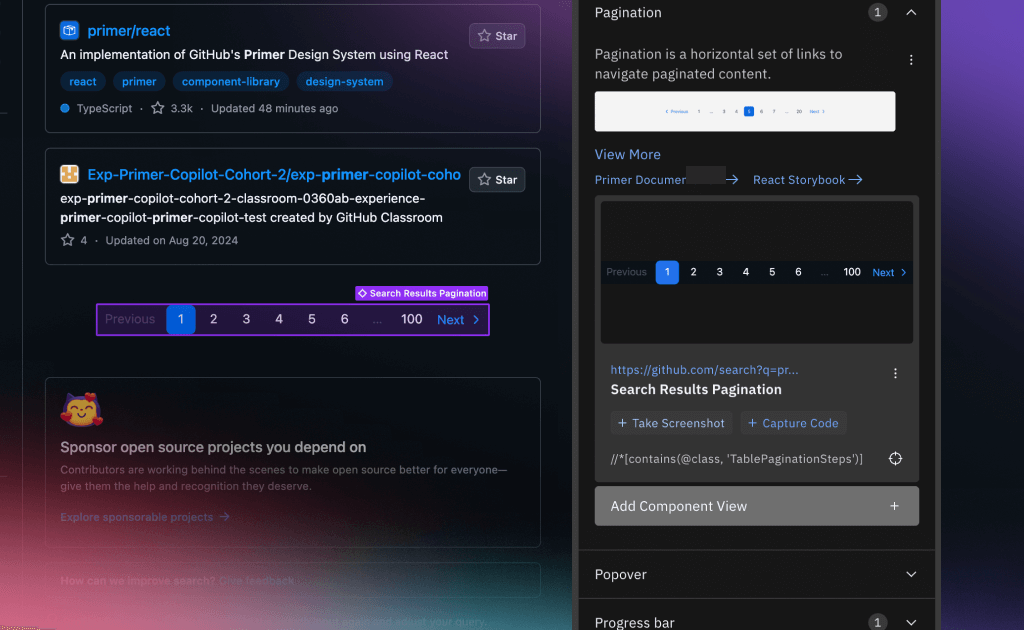
The system uses advanced browser automation to capture pixel-perfect component screenshots with zero manual intervention. Our intelligent element detection automatically identifies component boundaries, handles scrolling and viewport positioning, and preserves visual fidelity including border radius and cross-frame content.
Key capabilities include:
- Smart element detection using XPath selectors
- Viewport-aware cropping that handles complex layouts
- Cross-frame support for components within iframes
- Zoom factor compensation for consistent results
Intelligent Code Extraction
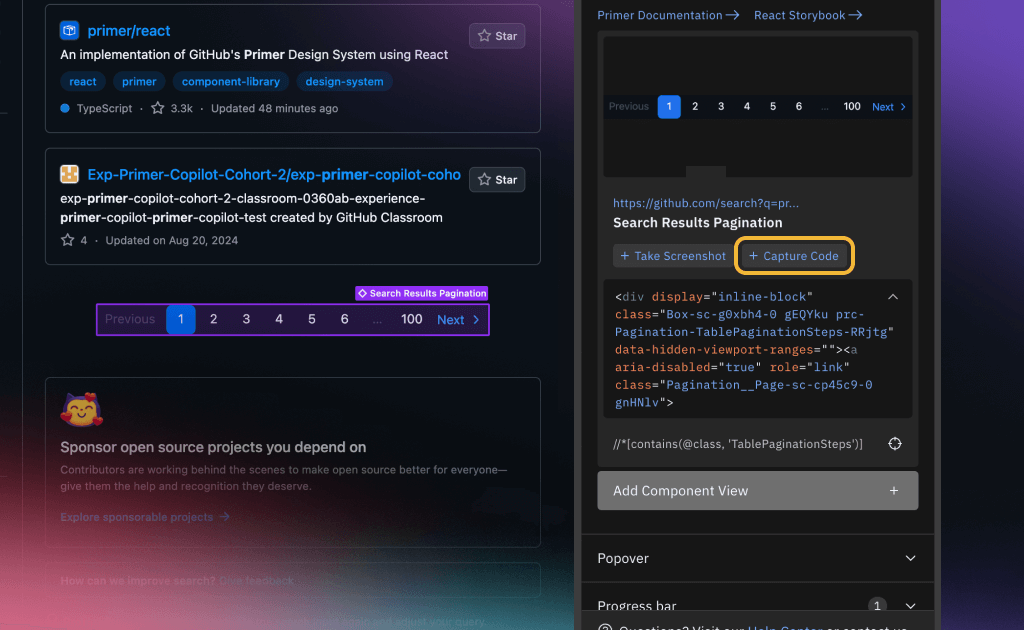
Beyond screenshots, the system extracts clean, usable HTML with intelligent formatting. We capture a preview of the code that preserves the complete component structure, including internal tracking attributes. This approach serves a dual purpose: it will help our future recovery system restore components if they change, and it provides engineers with valuable insights into component evolution over time. The history log feature is currently work in progress.
The code extraction process:
- Locates elements using precise XPath selectors
- Extracts complete component hierarchies with all attributes
- Generates readable code previews for quick validation
- Maintains full context for future component recovery and evolution tracking
Seamless Integration Pipeline
We at Infa understand that capture tools are only valuable if they integrate with your existing workflow. That's why our system provides:
Figma Integration: You can now import everything—both screenshots and code capture—directly into Figma with automatic layer naming and style preservation
Documentation Flexibility: Use captured content in your preferred documentation tools or document directly within Infa
API Access: Write additional extensions and integrate with your CI/CD pipeline to automatically pull screenshots and code capture over time for all your tagged components
Real-World Impact: From 8 Minutes to 10 Seconds
The transformation is dramatic. Here's the before and after comparison we've documented with our beta users:
Traditional Manual Workflow
- Find and navigate to component → 4 minutes
- Manually crop screenshot → 1 minute
- Copy and format code → 2 minutes
- Upload to documentation system → 1 minute Total: 8 minutes per component
Automated Capture Workflow
- Tag component with Infa extension → 5 seconds
- System automatically captures screenshot + code → 3 seconds
- Save to documentation → 2 seconds Total: 10 seconds per component
This represents a 48x improvement in documentation speed, freeing design system teams to focus on what truly matters: building exceptional user experiences.
Getting Started with Automated Capture
The Code & Screenshot Capture tools are available now in the Infa Chrome extension. Here's how to begin transforming your documentation workflow:
- Install the extension and set up your account
- Navigate to any component in your design system
- Tag the component using Infa's visual selector
- Screenshots and code are captured automatically during the tagging process
- Access your captured content in Infa or export to your preferred documentation tools
For teams ready to scale, our API provides programmatic access to screenshots, code snippets, and component XPath locations for CI/CD integration and automated workflows.
Start your free trial at Infa and join the teams already saving hours every week on design system documentation.
Learn more about our approach to design system tooling in our Chrome Extension documentation and explore advanced component tagging strategies in our insights library.